How to download an Instagram Reel or video post
Copy an Instagram Reel or public video post link and check whether Instagram provides a downloadable MP4.
Open Instagram on ClipportSteps to follow
Copy the video link
Open the Reel or video post, select Share or the post menu, and copy its link. You can also use the browser address of an individual Reel.
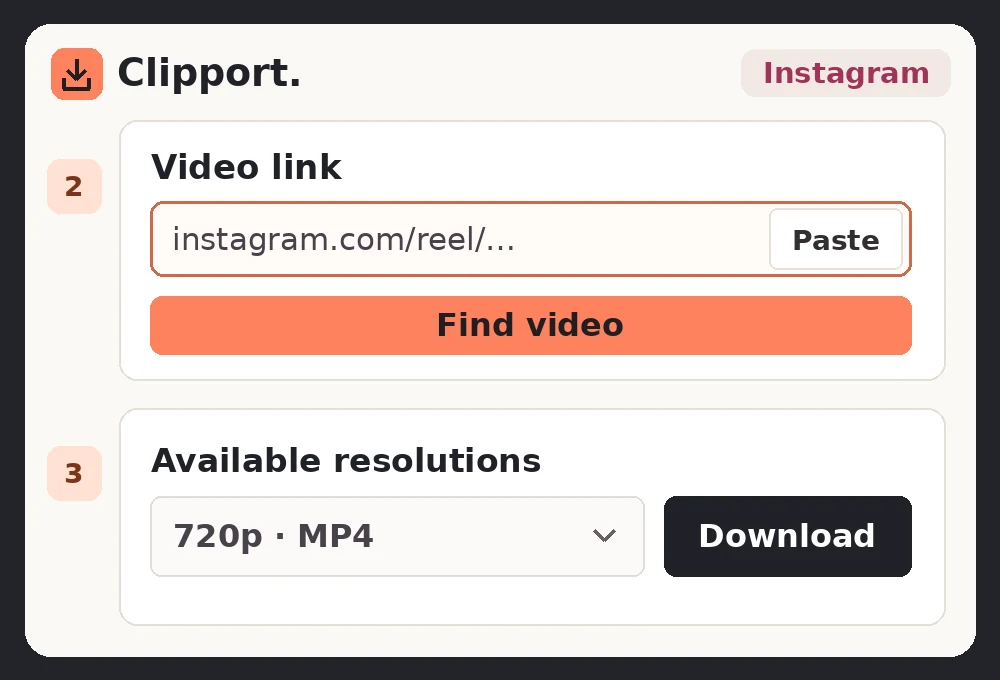
Example link formatinstagram.com/reel/…Paste and check the link
Open the Instagram downloader, paste the link into Video link, and select Find video.
Save the video
If a video file appears, select it and click Download. If Clipport reports a restriction, check the post in a browser before trying again.
Instagram Reels, posts, and share links
Copy the address of the individual Reel or post, even if you found it on a profile or in a direct message. If the source page displays an unavailable message or only a photo, check for another accessible video post before trying Clipport again.
Frequently asked questions
Does a Reel URL with a profile name work?
Clipport recognizes both instagram.com/reel/… and instagram.com/username/reel/… . Both addresses must point to an accessible video.
Why does a public Reel still fail to download?
Instagram can restrict a specific Reel, for example because of copyright or limited access. A photo-only post also has no video MP4.